
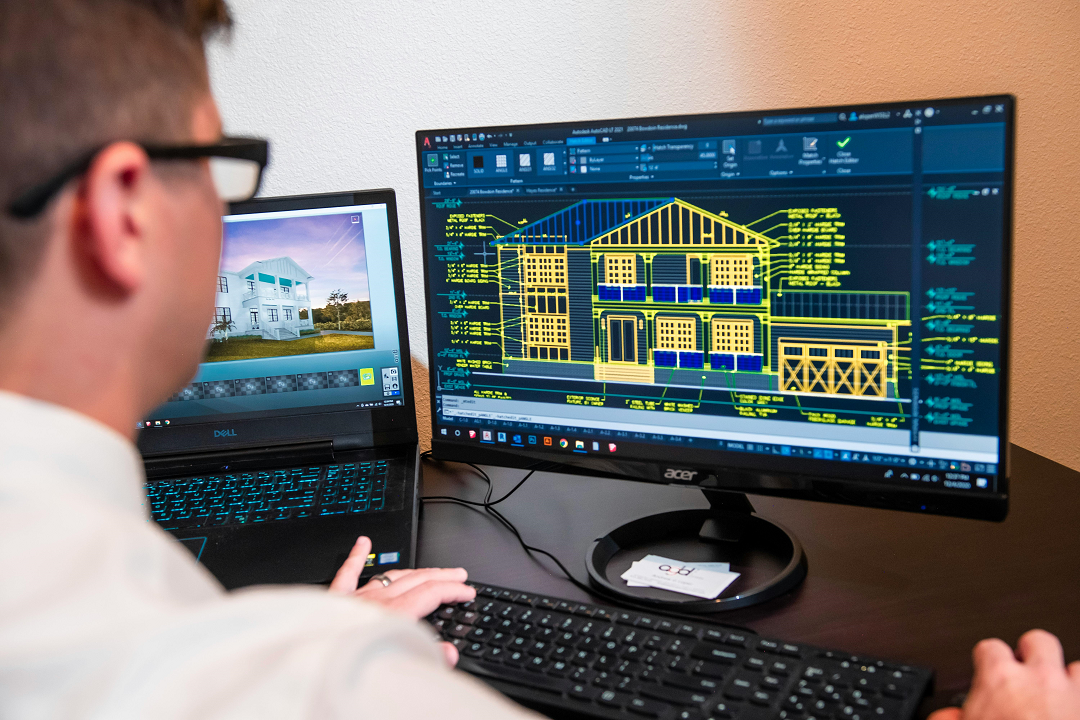
AUTOCAD COURSE
Remember you are talented and your talent has value.
AUTOCAD/REVIT COURSE IN ISLAMABAD
This short AUTOCAD/REVIT COURSE IN ISLAMABAD provides a thorough introduction to creating both 2D and 3D drawings. This emphasizes the required draft techniques and is designed to meet the needs of users of various industries, with special attention to civil engineering.
The course combines theory, performance and practical sessions, providing participants experienced on broad hands through many practical exercises.
AutoCAD Course Content
Session Topic Practical Activity / Assignmen
| 1 | Introduction to AutoCAD Interface | Navigating tools, setting up workspace |
| 2 | Drawing Basic Shapes | Line, Circle, Rectangle, Polygon |
| 3 | Modifying Tools I | Move, Copy, Rotate, Scale |
| 4 | Modifying Tools II | Trim, Extend, Offset, Mirror |
| 5 | Object Snap & Grid | Practice precision drawing |
| 6 | Layers & Properties | Create and manage layers |
| 7 | Dimensioning Basics | Add linear, aligned, and radius dimensions |
| 8 | Text & Annotations | Add text styles and labels |
| 9 | Object Properties & Match | Adjust and match object styles |
| 10 | Drawing Settings (Units & Limits) | Set up architectural and engineering units |
| 11 | Hatching & Gradient | Fill walls, sections, and patterns |
| 12 | Blocks & Groups | Create reusable elements (doors, windows) |
| 13 | Design a Simple Floor Plan (Part 1) | Drawing layout of a small house |
| 14 | Design a Simple Floor Plan (Part 2) | Add dimensions and annotations |
| 15 | External References (Xrefs) | Working with multiple linked files |
| 16 | Printing & Plotting | Set up layouts, paper sizes, and print styles |
| 17 | Introduction to 3D Drawing | Basic 3D interface & views |
| 18 | 3D Drawing: Extrude, Revolve, Presspull | Simple 3D modeling practice |
| 19 | 3D Modify Tools | Union, Subtract, Intersect |
| 20 | 3D House Modeling (Basic) | Practice modeling walls and windows |
| 21 | Sections & Elevations | Creating 2D views from 3D models |
| 22 | Annotative Scaling & Viewports | Add text/dimensions for multiple scales |
| 23 | Final Project – Complete Drawing | Drafting a plan + elevation + printing |
| 24 | Review + Presentation | Feedback and assessment of final work |
This course is ideal for individuals who are looking to develop their computer-aid drafting and design skills using AutoCAD. With focus on fundamental drawing techniques, it is suitable for participants of a wide range of citizens, including citizens, mechanical and electrical.
AUTOCAD 2D-3D COURSE IN RAWALPINDI ISLAMABAD
AutoCAD 2D/3D courses are largely used in industrial, engineering, manufacturing and architectural fields. This powerful software is required to create accurate technical drawings, plan and develop both 2D and 3D designs. Most can increase your productivity and efficiency in autoCAD design and draft functions.
AutoCAD 2D/3D course provides you skills to create an accurate and detailed picture, which ensures accuracy in all your design projects. Widely used in collaborative environments, this software allows you to easily share your designs with team members, manage many projects effectively and to streamline cooperation and improve workflow and improve better teamwork.
Fee Structure
| Course Duration | Total Fee | Installment plan |
| 2 months | 25,000.pkr | 1 month installment plan of PKR:15,000/- |
| 1 month | 35,000.pkr | Total Fee in advance |
| one-to-one | 35,000.pkr | Total Fee in advance |